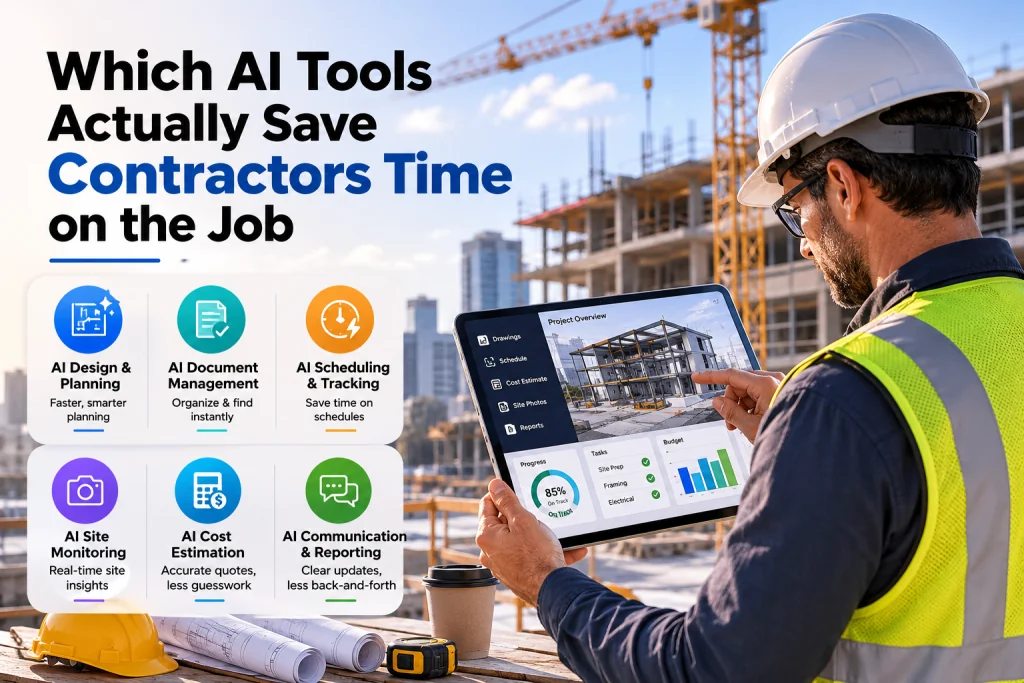
Which AI Tools Actually Save Contractors Time on the Job?
Which AI Tools Actually Save Contractors Time on the Job?
For decades, the construction industry has relied on the same foundational methods: clipboards, spreadsheets, and sheer manpower. But as profit margins remain tight and labor shortages persist, the margin for error has vanished.
Enter Artificial Intelligence.
If you scroll through tech news, you’ll see hundreds of AI tools claiming to "revolutionize" construction. But for general contractors, subcontractors, and project managers, buzzwords don’t build buildings. You need solutions that solve actual bottlenecks.
So, which AI tools actually save contractors time on the job? We’re cutting through the hype to explore the AI technologies delivering real, measurable workflow improvements on the job site and in the trailer today.
1. Preconstruction & Estimating: Automating the Takeoff
The Workflow Bottleneck: Manual quantity takeoffs. Estimators spend countless hours measuring 2D PDFs, counting symbols, and calculating material quantities. It’s tedious, prone to human error, and limits how many bids a company can submit.
The AI Solution: AI-powered estimating and takeoff software (e.g., Togal.AI, Kreo, or AI features within Procore/PlanGrid).
Real Workflow Improvement: Modern AI computer vision can read 2D architectural plans and automatically identify walls, doors, windows, and rooms, generating highly accurate quantity takeoffs in a fraction of the time.
- Time Saved: What used to take an estimator 10 hours can often be reduced to under an hour.
- The Result: Estimators spend less time counting and more time strategizing, allowing your preconstruction team to bid on 3x to 5x more projects without hiring additional staff.
2. Site Documentation & As-Builts: The "Set It and Forget It" Walkthrough
The Workflow Bottleneck: Documenting site progress, managing RFIs, and creating as-built drawings requires superintendents to constantly walk the site with a camera, tablet, and notebook. It pulls them away from managing the actual build.
The AI Solution: 360-degree reality capture combined with AI mapping (e.g., OpenSpace, DroneDeploy).
Real Workflow Improvement: By strapping a 360-degree camera to your hardhat and walking the site as you normally would, the AI automatically stitches the video together and maps it directly to your floor plans.
- Time Saved: Eliminates hours of manual photo organization and progress reporting.
- The Result: When a dispute arises over a change order or a hidden pipe, you can click on the digital floor plan and instantly view the exact time-stamped 360-degree photo of that exact location. It also automates the creation of as-builts, saving massive administrative time at project closeout.
3. Project Scheduling & Risk Management: Predicting the Unpredictable
The Workflow Bottleneck: Construction schedules are notoriously fragile. A delayed material delivery or a sudden weather event can cascade through the critical path, costing thousands of dollars a day. Project managers spend hours manually updating Gantt charts and playing "whack-a-mole" with delays.
The AI Solution: AI-driven scheduling and predictive analytics (e.g., ALICE Technologies, Buildots, or nPlan).
Real Workflow Improvement: Instead of just tracking the schedule, AI analyzes historical project data, current site progress, and external factors (like weather forecasts or supply chain data) to simulate millions of scheduling scenarios.
- Time Saved: Automates schedule optimization and identifies critical path risks before they happen.
- The Result: Project managers shift from being reactive to proactive. If the AI predicts a drywall delay will impact the electrical rough-in, the PM can re-sequence the workflow days in advance, keeping the crew moving and avoiding costly downtime.
4. Safety & Compliance: Computer Vision for Hazard Mitigation
The Workflow Bottleneck: Safety inspections are manual, intermittent, and rely on human observation. By the time a safety manager walks the site and notices a hazard, the exposure has already occurred.
The AI Solution: AI computer vision for site safety (e.g., SmartVid, ViAct, or AI modules in site-cam software).
Real Workflow Improvement: AI algorithms analyze site camera feeds and 360-degree walkthroughs to automatically detect safety violations, such as missing hard hats, improper harness tying, or workers too close to heavy machinery edges.
- Time Saved: Replaces manual safety audits with continuous, automated monitoring.
- The Result: Safety managers can review automated daily reports highlighting specific risk zones. This drastically reduces the time spent on manual compliance paperwork while actively lowering Experience Modification Rates (EMR) and preventing costly work stoppages.
5. Equipment & Fleet Management: Predictive Maintenance
The Workflow Bottleneck: Unexpected equipment breakdowns halt work and scramble logistics. Reactive maintenance means fixing things only after they break, leading to expensive emergency repairs and idle crews.
The AI Solution: AI-enhanced telematics and predictive maintenance software (e.g., SmartEquip, Cat Connect, or AI fleet managers).
Real Workflow Improvement: AI analyzes data from equipment sensors (engine temperature, vibration, fluid levels, usage hours) to predict when a part is likely to fail.
- Time Saved: Eliminates emergency downtime and reduces time spent on unnecessary routine maintenance checks.
- The Result: Equipment is serviced exactly when it needs to be. Superintendents aren't waiting on a broken excavator, and mechanics aren't replacing parts that still have 500 hours of life left in them.
How to Choose the Right AI for Your Crew
Not every contractor needs every AI tool. To ensure you are actually saving time and not just adding software bloat, follow these three rules:
- Identify the Bottleneck First: Don’t buy AI just to say you use it. Ask your team: Where are we losing the most time? If it’s bidding, look at AI takeoffs. If it’s closeouts, look at reality capture.
- Demand Integration: An AI tool is useless if it creates data silos. Ensure the software integrates seamlessly with your existing tech stack (Procore, Autodesk Build, Sage, etc.).
- Start with a Pilot: Roll the tool out on a single, mid-sized project. Let your superintendents and estimators test it, provide feedback, and measure the actual hours saved before rolling it out company-wide.
AI in construction is no longer a futuristic concept; it is a present-day competitive advantage. The tools that actually save time aren't the ones trying to replace the craftsman—they are the ones removing the administrative, manual, and repetitive burdens from the people who actually build the project.
By adopting AI for takeoffs, site documentation, scheduling, and safety, contractors can get their boots-on-the-ground back to doing what they do best: building.
Found this article valuable?
Share it with fellow builders, architects, or download the QR code.
Written by Shanmugam2026
Verified CreatorARQONZ Editorial Team brings you expert insights, construction guides, and architectural design trends from across the building industry.
Related Articles in Construction

What Should I Never Say to My Contractor?